How AI-Powered CRM Features Help Small Businesses Compete with the Big Players
SmartFlowCRM Team
Content Team
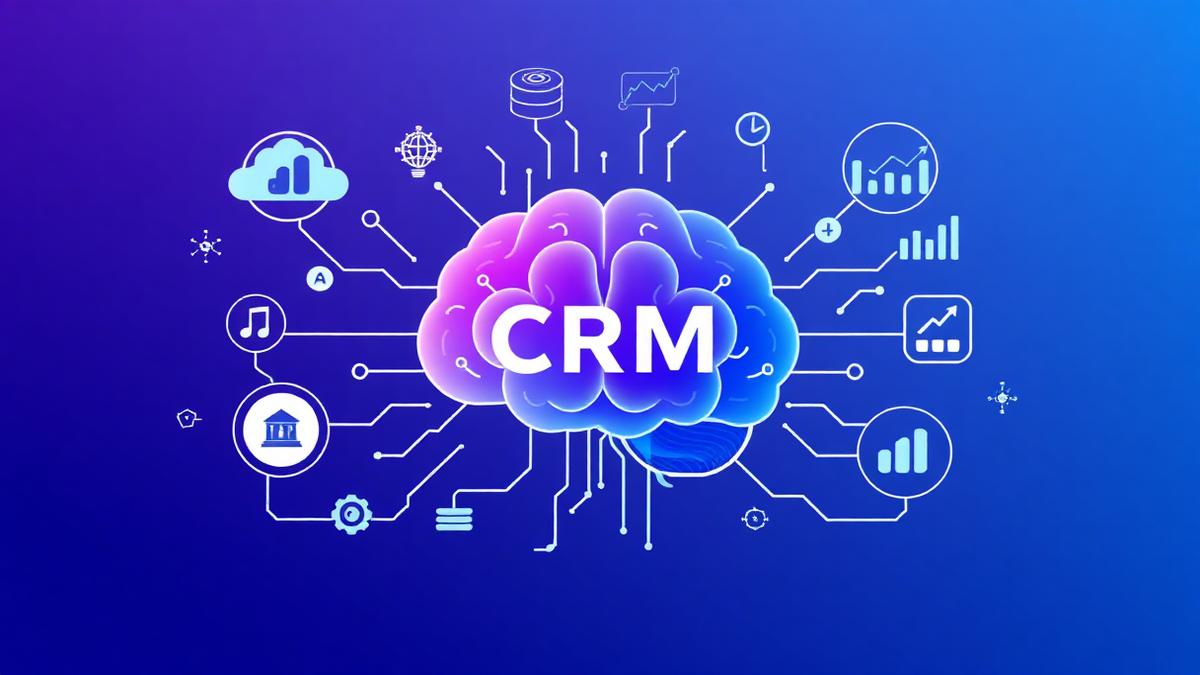
What AI in a CRM actually means (plain English)
Small businesses do not need big budgets to match the customer experience offered by national brands. That is the short version. The longer version is practical, and surprisingly simple.
Many small business owners hear "AI" and imagine sci-fi robots, huge bills, or a need for an IT team. Not true. Think of AI inside a CRM as a smart helper that sits quietly in the background, doing repetitive tasks, spotting patterns, and nudging you at the right moment. It is there to make everyday work less noisy.
At its core, AI in a CRM is pattern recognition and automation. It looks at the data you already have, emails, messages, calendar entries, notes, and finds useful things. It can suggest what to say next, prioritise leads, or answer simple questions from customers, all without you having to wrestle with code.
AI is not a mysterious black box. Often it is a set of rules combined with statistical models. For a small cleaning company, that might mean the CRM notices a regular client tends to rebook every four weeks and reminds the owner a few days in advance. For a personal trainer, it could mean the system flags clients who miss two sessions and suggests a friendly re-engagement message. For a recruitment agency, AI can highlight candidates who match several job briefs faster than manual searches.
Put simply, AI in a CRM equals less guesswork, fewer missed follow-ups, and faster responses, without needing an expensive data scientist.
Features that make a real difference
Here are the AI features that bring the most practical benefits. I will use plain examples so you can picture them in your business.
Chatbots and automated messaging.
A chatbot answers routine enquiries when you are busy. For a local cleaning company, a chatbot can confirm whether a slot is available, collect basic job details, and book a provisional appointment. That saves time on the phone and turns web visitors into paying customers faster. The best bots hand over to a human when things get complex, so you never lose the personal touch.
Lead scoring.
Lead scoring ranks potential customers by how likely they are to buy. Instead of chasing every enquiry equally, you focus on the leads that matter. A small recruitment agency can use lead scoring to identify clients most likely to place a role this quarter, based on previous hires, industry, and timeliness. That helps allocate limited time where it counts most.
Smart replies and templates.
Smart replies suggest brief, relevant responses to messages, drawing on the conversation history. For a personal trainer, this could be a suggested motivational message after a missed session, or a quick reply to a query about availability. Templates save time, and AI can personalise them automatically, using the client's name, last session, or progress notes.
Predictions and reminders.
Predictions estimate future behaviour, such as which customers might churn, who will refer friends, or when to upsell. If your CRM predicts a long-term client of a cleaning service might lapse, you can offer a renewal discount ahead of time. Predictions are not perfect, but they help you act earlier and more confidently.
Automatic data capture and summarisation.
AI can convert incoming emails and messages into structured data, create meeting notes, and summarise conversations. That means less admin, and fewer lost details. For the small recruitment agency, candidate conversations can be summarised, saving time when searching for the right fit.
Many modern CRMs, including platforms like SmartFlow, bundle these features into easy-to-use tools. You do not need to configure complex models to benefit.
Why small businesses benefit most
Small businesses have agility. You can change processes overnight, try something new, and see the effect quickly. The same features that help a multinational scale also make a micro-business more responsive.
A local cleaning company with three staff, for instance, cannot afford hours of admin. A chatbot plus automated reminders means more bookings, fewer missed jobs, and clients who feel looked after. The cleaner spends more time cleaning and less time on the phone, which increases capacity and revenue.
A personal trainer works one-to-one, often juggling scheduling and billing between sessions. Smart replies and calendar automation reduce friction. AI can suggest the best time to offer a block booking, informed by a client's attendance pattern. That small nudge can lift retention and make the trainer's income steadier.
A small recruitment agency lives and dies by speed. Faster candidate matching and AI-assisted shortlisting mean the agency can place candidates quicker than competitors who rely on manual sifting. That speed builds reputation and repeat business.
In short, AI frees up time, improves response, and helps you make better decisions faster. For a small business, time is the most valuable resource.
Common worries addressed
You are not alone if you worry about cost, complexity, or losing control. Those concerns are valid. Let us address them.
Worry 1, privacy and data safety.
Use a reputable CRM that follows UK and EU data protection rules. Most mainstream providers have robust controls, and many small business CRMs clearly explain data handling. Ask vendors about encryption, backups, and where your data is stored.
Worry 2, expense.
AI does not need to be expensive. Many CRMs include basic AI features in standard plans. You can start with a simple chatbot or lead scoring module and expand if it proves useful. Think incremental investment, not an all-or-nothing purchase.
Worry 3, complexity.
Modern CRMs aim for plug-and-play. Features like smart replies often work out of the box. For more advanced settings, support teams help with setup. SmartFlow, for example, provides guided onboarding so small teams are not left to figure things out alone.
Worry 4, job loss or loss of personal touch.
AI is best used to handle the repetitive tasks, while humans keep the essential relationships. For a personal trainer, AI handles reminders, you still deliver the session and coaching. For a recruiter, AI does the initial sift, you conduct the interviews. The human element remains central.
Worry 5, accuracy of AI.
AI is probabilistic, not prophetic. It will sometimes make mistakes. That is why features are often configurable and transparent. Use AI suggestions as support, not as unquestionable truth.
Getting started without the tech headache
Start small, and treat AI features as tools, not projects. Here is a practical six-step approach.
1. Audit your pain points. Write down the repetitive tasks that waste time. Is it replying to enquiries, chasing late payments, or finding suitable candidates quickly? Pick one.
2. Choose one feature to trial. If you lose most leads to slow responses, try a chatbot or smart replies. If you struggle to know which enquiries matter, try lead scoring.
3. Use free trials and demos. Most CRMs, including SmartFlow, offer demonstrations and short trials. Test the feature for a few weeks with real customers.
4. Configure minimally, then iterate. Start with the default settings. Observe results, then tweak. Small changes can have big effects.
5. Train your team. A short session explaining what the AI will do and what it will not do is enough. Encourage staff to see AI as an assistant.
6. Measure and scale. Track simple metrics, like response time, conversion rate, or bookings per week. If the feature works, add the next small improvement.
Do not attempt to change everything at once. Little wins compound. Within a few months, you will see more time freed up, happier customers, and clearer priorities.
Final thoughts
AI-powered CRM features are not reserved for big budgets. They are practical tools that help small businesses operate more efficiently and deliver better customer experiences. The aim is not to replace human relationships, but to support them, making your business feel bigger and more professional than its size suggests.
If you are sceptical, try one small experiment. A chatbot to handle simple enquiries, a lead score to find the most promising calls, or smart replies to speed up follow-ups. Start small, measure, and keep control. Platforms such as SmartFlow make this approachable for small teams, with simple setup and clear pricing.
AI in a CRM is about making everyday tasks a little easier, so you can focus on what you do best.
Ready to See What SmartFlow Can Do?
Try SmartFlow free and see how it helps small businesses like yours save time and win more customers.
Start Free Trial